
Fintech, Internal system
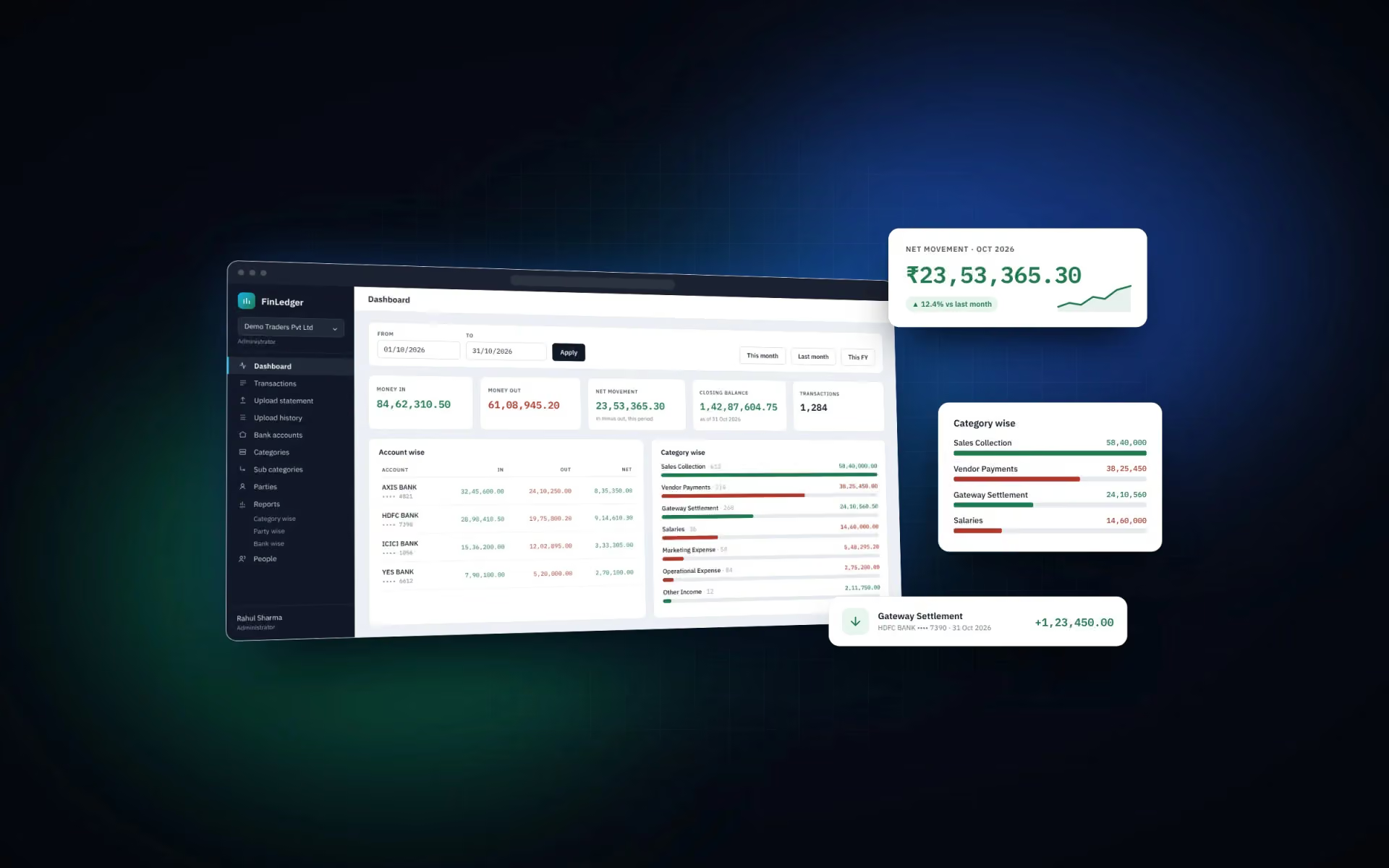
FinLedger is an internal accounting panel by Pen Programmer that automates bank statement processing using original Excel exports, validates every transaction against balance columns, and replaces months of manual data entry with a simple file upload.
- Client
- Shahrukh Abedin
- Industry
- Fintech
- Type
- Internal system
- Year
- 2026
- Platforms
- Web
Background
The group runs several businesses, each with its own bank accounts. Every month the same work came around: download statements, type them into a spreadsheet, work out which payment belonged to which vendor, and hope nothing was missed.
Manual entry is slow, but that is not the real cost. The real cost is that a mistake made in January is only discovered in September, usually by an auditor.
Pen Programmer was asked to replace the spreadsheet with something the finance team could trust.
The problem
Reading a bank statement sounds like a solved problem. It isn't.
- Every bank is different. The header row sits on a different line, columns are named differently, and some banks use one Amount column with a DR/CR flag while others use separate Withdrawal and Deposit columns.
- Statements can be wrong, or read wrong. A reversal, a mis-read column, a missing row — any of these quietly change the books.
- Gaps are invisible. Upload January and March, skip February, and nothing on screen looks unusual. The totals are simply wrong from then on.
- Tagging never ends. Thousands of transactions a year have to be filed under a category and a vendor.
- Audits need paper. The bill behind an entry is in somebody's inbox, not next to the entry.
- Several companies, one team. The same person is an admin in one company and only an accountant in another.
"Accounting software that accepts whatever you give it is just a more expensive spreadsheet."
Objectives & constraints
Objectives
- Upload a bank statement as the bank exported it — no reformatting, no manual cleanup.
- Refuse data that doesn't add up, rather than importing it and reporting it confidently.
- Tag transactions automatically from the narration, so humans only handle exceptions.
- Run several companies side by side, with proper roles and separation.
- Keep bills and notes attached to transactions, ready for audit.
Constraints
- Shared hosting with cPanel and FTP deployment — no build step, no Composer, no CI.
- A small, non-technical finance team.
- Handles real company financial data, so security could not be an afterthought.
- Statements span years, so the parser had to work on historical formats too.
Research & strategy
We started with real statements from four banks — HDFC, Axis, Bandhan and YES — and looked at what they actually had in common.
The answer: almost nothing in layout, but one thing in substance. Nearly every statement carries a running balance column. That column is a chain: each row's balance must equal the row before it, plus or minus the amount.
That became the foundation of the product.
- Parse by meaning, not position. Find the header row by scanning for it; match columns by name, not by column number.
- Verify before trusting. Use the balance chain to prove the debit/credit direction was read correctly.
- Separate "wrong" from "unproven". A file that demonstrably doesn't add up is blocked. A file that simply couldn't be verified is a warning the user can accept.
- Automate the repetitive part only. Match vendors from narrations; leave judgement calls to people.
Design approach
The panel was designed for someone who does accounts, not someone who likes software.
- One screen per job. Upload, review, tag, report. Nothing else competes for attention.
- Explain, don't just warn. Every message names the figure, the row and what to do next.
- Show the work. The upload preview displays which source column fed which field, so a wrong mapping is visible before anything is saved.
- Nothing silent. If a transaction isn't tagged, it appears as untagged rather than being quietly left out of reports.
- English throughout. Clear, plain labels — no jargon, no abbreviations the team has to learn.
Key features and journeys
Multi-bank statement reader
Reads HDFC, Axis, Bandhan and YES formats, plus auto-detection for others
Balance chain verification
Checks every row against the one before it to confirm the amounts were read correctly
Continuity guard
Detects missing periods between uploads and blocks them
Duplicate protection
Overlapping statements can be uploaded safely; repeated rows are skipped
Vendor auto-tagging
Matches narration keywords to a party, filling in category and sub-category
Supporting documents
Bills, invoices and notes attached to any transaction
Reports
Day, month, category, sub-category, party and bank views with CSV export
Multi-company
Separate ledgers with a shared chart of accounts
Roles & permissions
Custom roles, assigned per company per person
Technical architecture
- Statement parsing happens in the browser. The spreadsheet is never uploaded, so a confidential statement never sits on a server.
- Every API request is encrypted. A fresh AES key per request, wrapped with the server's RSA key, with a one-time nonce that blocks replays.
- One filter engine behind every view. Transactions, reports and exports share the same query builder, so the same number can never differ between two screens.
- No build step. Plain PHP, MySQL and vanilla JavaScript, deployed over FTP, with idempotent migrations that can be run repeatedly without harm.
- PHP
- MySQL
- JavaScript
- Tailwind CSS
- SheetJS
- in-browser
Challenges & decisions
1. Four banks, four completely different files
Header rows at line 5, 11 or 21. Columns named "Withdrawal Amt.", "Debit", or "Withdrawals". One bank lists newest transactions first.
Decision: we built the parser to find the header row by scanning for it, map columns by matching names, and work out the statement's chronological order by testing which direction makes the balance chain reconcile. Order is detected from the data, not assumed from the bank.
2. A missing month looks like nothing at all
The real risk was never a bad row. It was an entire period silently absent.
Decision: before any upload, the panel checks whether the new file still contains the last transaction already in the ledger. If it does, the two overlap and nothing can be missing between them. Matching balances alone is treated as circumstantial — a different statement opening on the same figure would look identical — so it produces a warning, not a pass.
3. Knowing when to block and when to ask
An early version blocked any file that failed any check. That turned out to be wrong: it blocked statements that were perfectly fine but whose header figure had been mis-detected.
Decision: we split the checks in two. Proven wrong — the balance chain doesn't reconcile, or a period is missing — blocks the upload outright. Unproven — no balance column, or a stated opening balance that doesn't match — shows a warning the user can read and accept. The distinction matters: a tool that cries wolf gets overridden out of habit.
4. Reversals read as fresh debits
A real statement surfaced a subtle bug: a failed ATM withdrawal appeared as a second line with the same reference and a negative amount in the Withdrawal column. Read naively, that becomes another withdrawal, doubling the money out.
Decision: the sign now decides the direction. The balance chain caught this on a live 180-row statement before it ever reached the ledger — which is exactly what it was built to do.
5. Vendors matching the wrong way round
A vendor filed under an expense head was matching refunds from that same vendor, filing incoming money as an expense.
Decision: matching became direction-aware. A party under an expense category only claims debits; one under an income category only claims credits. Two parties can even share a keyword and face opposite ways. Where a name matches but the direction doesn't, the preview says so rather than leaving the row blank.
6. One person, different roles in different companies
The same accountant is an administrator in one company and has read-only access in another.
Decision: roles are defined once and assigned per company per person. Data is scoped in the API rather than only in the interface, so sending another company's record ID to any endpoint is refused.
7. Protecting a private key on unknown hosting
The RSA key started life as a file. On Apache it was protected by an .htaccess rule; on Nginx that file is ignored entirely and the key would have been served to anyone who asked.
Decision: the keypair moved into the database. Nothing to serve by accident, nothing to configure per installation, and a fresh key generated automatically on setup.
Results
- Statement upload replaced manual entry for every company in the group.
- Four bank formats verified against real statements, with auto-detection for others.
- Every uploaded transaction is checked against the statement's own balance column before it is accepted.
- Missing periods are caught at upload, not discovered months later.
- Most transactions arrive pre-tagged by vendor, category and sub-category.
- Bills and notes live with their transactions, so audit questions are answered from one screen.
Add the client's real before/after numbers here — hours saved at month-end, transactions processed, or the point at which a gap was caught — once the finance team has them.
Lessons learned
- The data will be wrong. Plan for it. Validation isn't a safety net; in accounting software it is the product.
- "Wrong" and "unverified" are different things. Treating them the same teaches people to click through warnings.
- Explain the refusal. "1 of 180 rows failed" is accurate and useless. Naming the row, the expected figure and the actual one is what gets it fixed.
- Test with real files. Every serious bug in this build was found by running an actual bank statement through it, never by reasoning about the format.
- Security has to survive the hosting. A design that only holds on one web server isn't a design.
"Good accounting software is judged by what it refuses to accept."
Services involved
Next case study
MakeMyBuddy
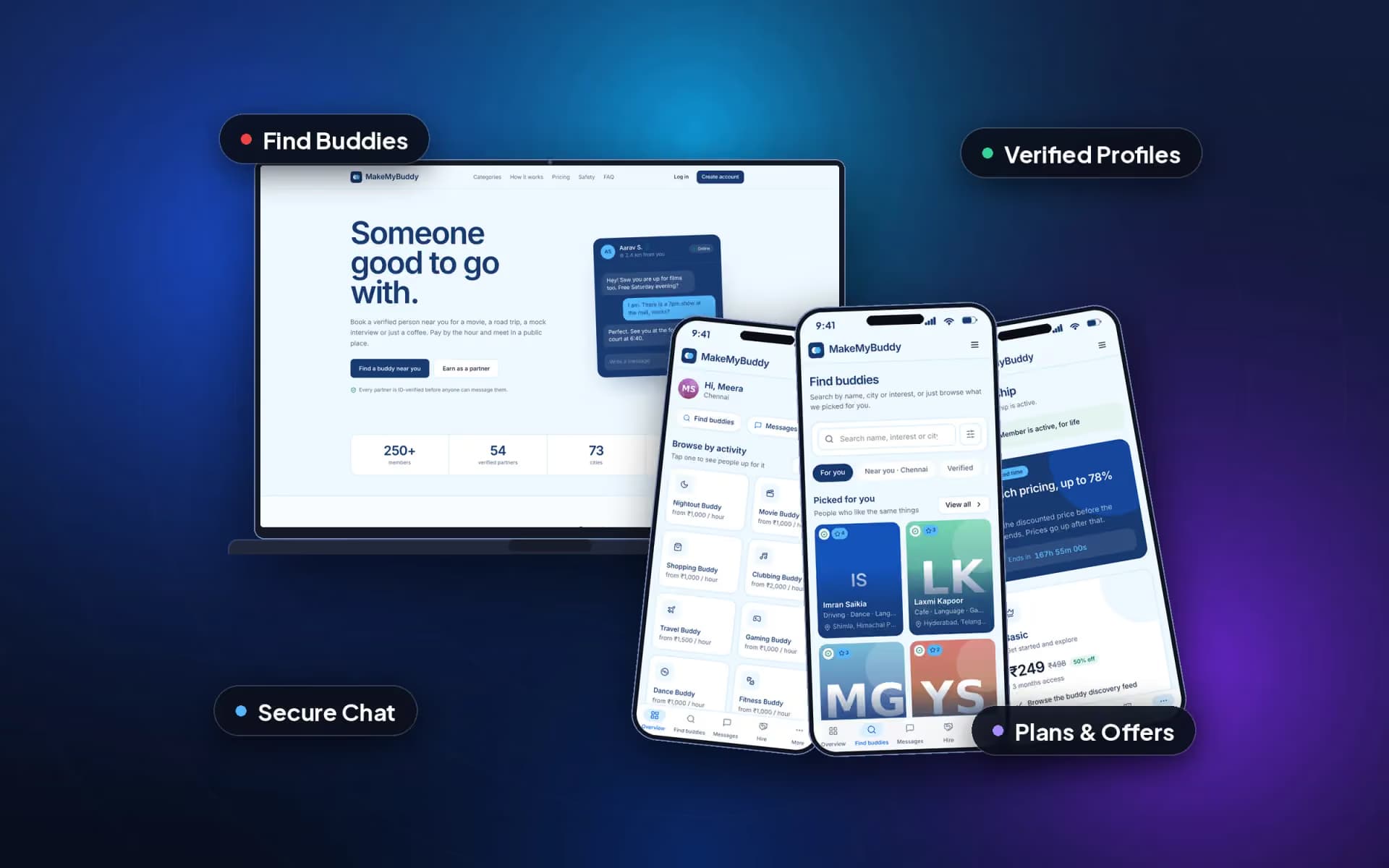
MakeMyBuddy lets people book a verified companion nearby for a movie, a trip, the gym, a mock interview or just a coffee. Pen Programmer designed and built the whole product: the public website, the user panel, the admin panel.
Have a project like this?
Tell us what you're building. We'll get back to you with next steps.
